 kelex labs

Never let a registrant forget your event.
SaveTheDate adds one-click calendar buttons to Gravity Forms confirmations, notification emails and event pages. Pro makes every calendar personal.
Take a closer look.
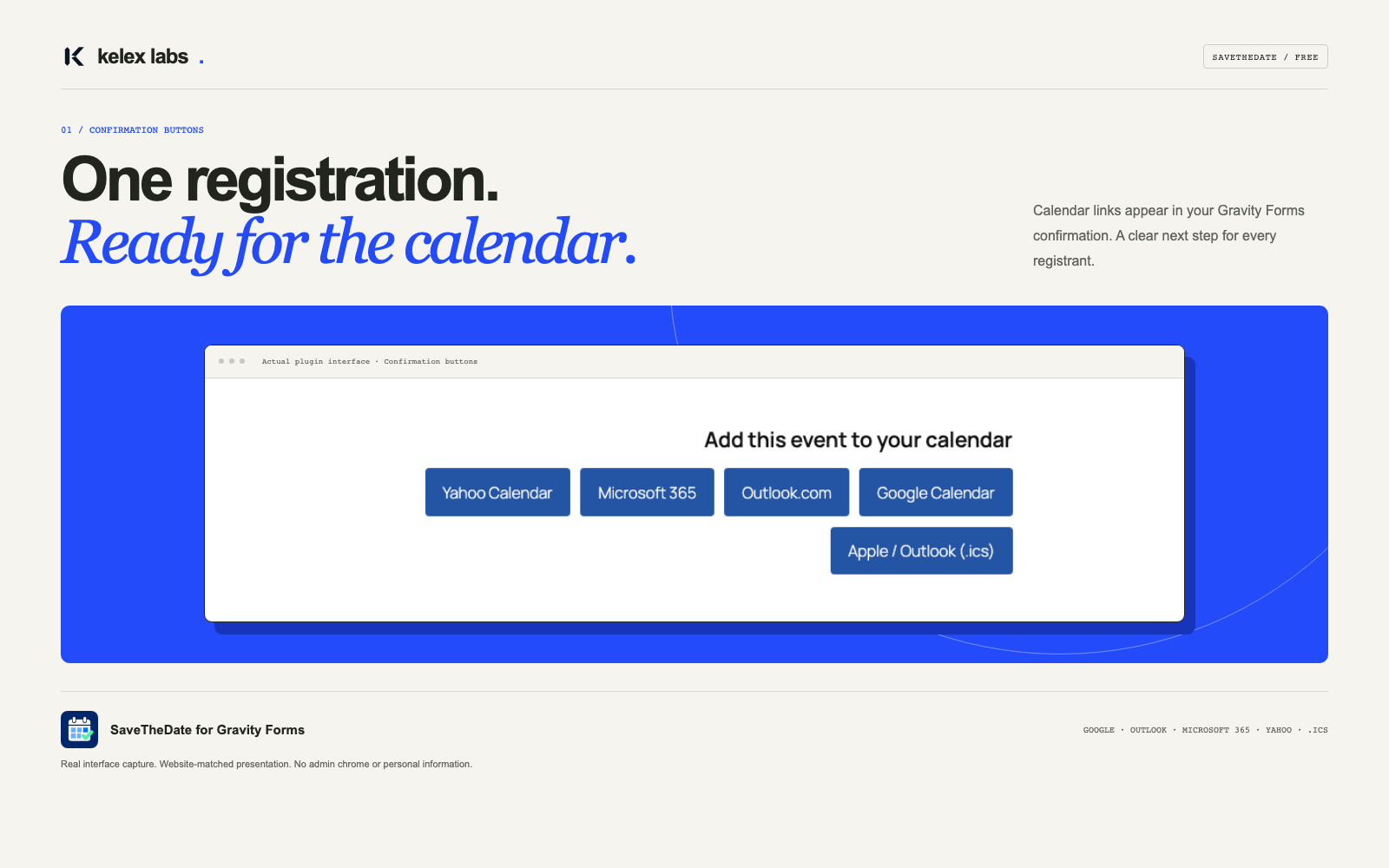
Everything an event form needs.
The free edition covers one fixed event per form. Pro adds per-entry events, attachments and full control.
Five calendar providers
Google, Outlook.com, Microsoft 365, Yahoo and .ics for Apple Calendar and Outlook desktop.
Automatic confirmations
Buttons appear in Text confirmations with AJAX and regular submissions — zero setup.
Email merge tag
Drop {save_the_date} into any notification, HTML or plain text.
Entry-based eventsPRO
Map Date and Time fields so each registrant gets their own appointment or session.
.ics email attachmentsPRO
Attach calendar files to selected notifications, alongside your existing attachments.
Protected downloadsPRO
Private, expiring links per entry — revoke them or rotate keys at any time.
Start free. Upgrade when you need more.
Pro includes everything in Free. Your forms and settings carry over when you upgrade.
{save_the_date} merge tag & shortcodeSimple, annual licences.
Personal
- All Pro features
- 1 year of updates
- 1 year of email support
Business
- All Pro features
- 1 year of updates
- 1 year of email support
- Use on client sites
Agency
- All Pro features
- 1 year of updates
- 1 year of email support
- Use on client sites
Every plan includes all Pro features, one year of updates and email support. Gravity Forms is required and sold separately. Prices are in USD; applicable taxes are shown at checkout. Your installed plugin keeps working if you do not renew.
From checkout to calendar in four steps.
Choose a plan
Choose 1, 5 or 25 websites. Every plan includes the same Pro features.
Secure checkout
Review your order total, applicable taxes and payment terms before you pay.
Download & licence key
Follow the download and installation instructions in your purchase email.
Activate
Upload the Pro ZIP and activate it. Your existing Free settings are preserved.
Ready for your next event?
The Free edition is GPLv2 or later. A licensed copy of Gravity Forms is required and sold separately.
Download link pending publicationDownload the ZIP
Get the Free plugin ZIP once the public download is available.
Upload & activate
Open Plugins → Add New → Upload Plugin in WordPress, choose the ZIP and activate.
Set up your first event
Open your form’s Settings → SaveTheDate and enable “This form is an event”.
Your event. Your site.
Requires WordPress 6.2+, PHP 7.4+ and Gravity Forms 2.7+, sold separately. Pro runs on its own and preserves your Free settings.
Event generation happens on your WordPress site. Calendar links share event details with the selected calendar provider when clicked. Protected download links grant access to anyone who holds the link until it expires or is revoked. SaveTheDate does not include visitor analytics.
Questions, answered.
Do I need Gravity Forms?
Yes. SaveTheDate requires an active, licensed Gravity Forms 2.7+ installation, sold separately.
Do I need the Free edition to run Pro?
No. Pro includes everything. If both are active, Pro takes over and your settings are preserved.
What happens when my licence expires?
The plugin keeps working. You just stop receiving updates and support until you renew.
Does it send data anywhere?
Event generation happens on your WordPress site. Calendar providers receive event details when a visitor follows a calendar link. The plugin does not include visitor analytics.
Which plan should I choose?
Personal covers 1 website, Business covers up to 5 and Agency covers up to 25, including client sites. All plans include the same Pro features.
What happens after the first year?
Your installed plugin keeps working. Renew for another year of updates and email support. Any automatic renewal terms will be shown at checkout.
Is Gravity Forms included?
No. Gravity Forms is a separate product and requires its own licence.
What is included with a Pro plan?
Every plan includes all Pro features plus one year of updates and email support. Choose 1, 5 or 25 websites. Gravity Forms is sold separately.
Can I request a refund?
Yes. Contact support within 14 calendar days of your initial purchase and include your order reference. See the refund policy for details.
What’s new.
Version 0.6.1
- Entry field mapping and protected calendar downloads with expiry and revocation.
- Private queue storage contract and owned-file lifecycle.
- Provider ordering, organizer details, DISPLAY alarms and stable calendar revisions.
- Advanced output, URL/plain-text tags and a server-rendered public calendar block.
Version 1.0.4
The missing-requirements notice now appears only on the Plugins screen and explains how to fix it.
Find your next step.
Fewer no-shows start with one click.
Give every registrant a calendar entry they won't miss.